
Description de l'application
Here's a clear, concise summary and overview of the BlueDriver® OBD2 Scan Tool based on your provided information — ideal for users, customers, or marketers looking to understand or promote the product:
🔧 BlueDriver® – Professional-Grade OBD2 Scanner for Every Driver
Your Trusted Partner in Vehicle Diagnostics
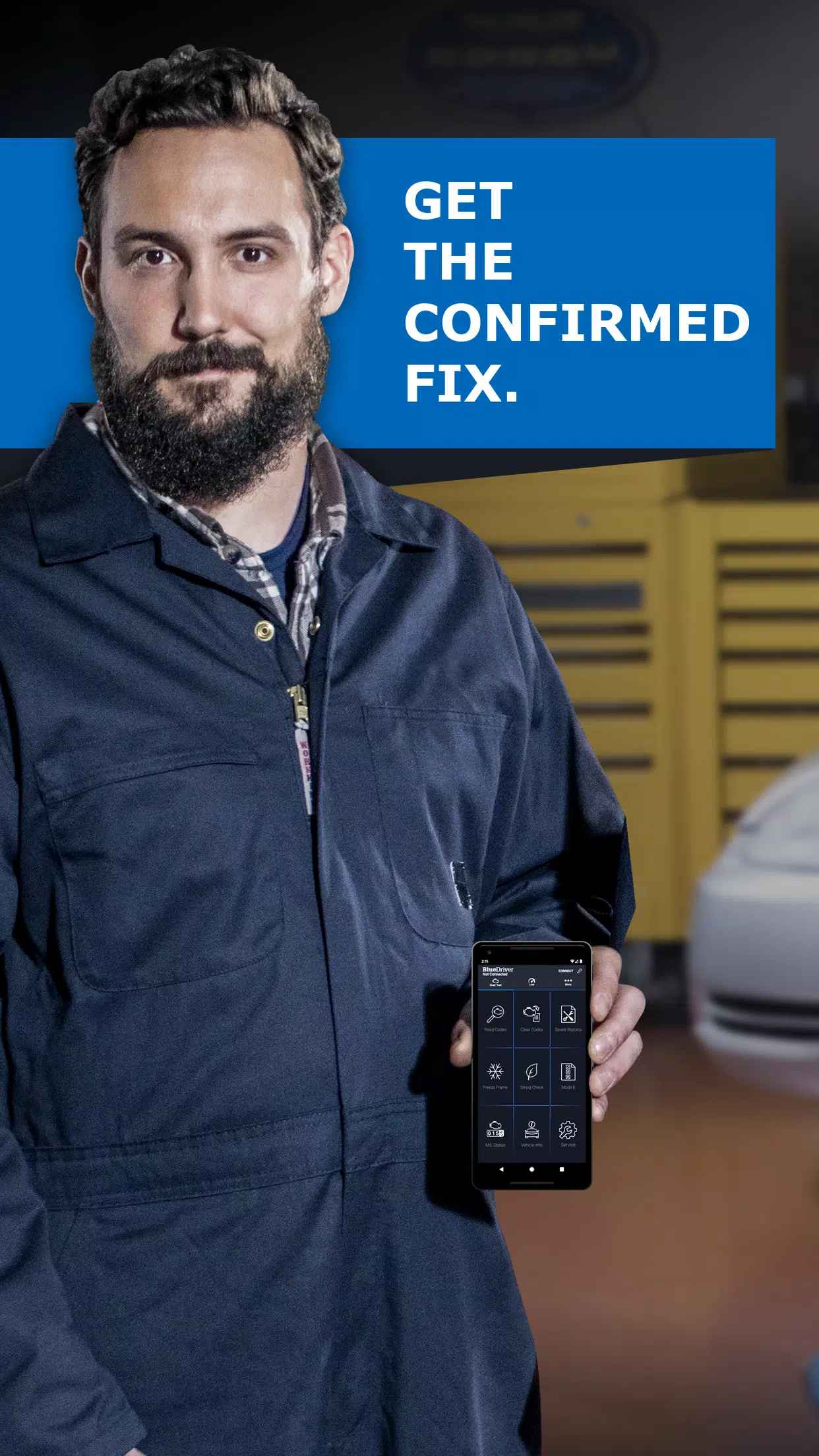
Whether you're a DIY enthusiast, mechanic, or just want peace of mind when your Check Engine Light comes on, BlueDriver® delivers powerful, professional-level diagnostics at your fingertips — all via a simple Bluetooth connection.
✅ Key Features
-
Comprehensive Diagnostics
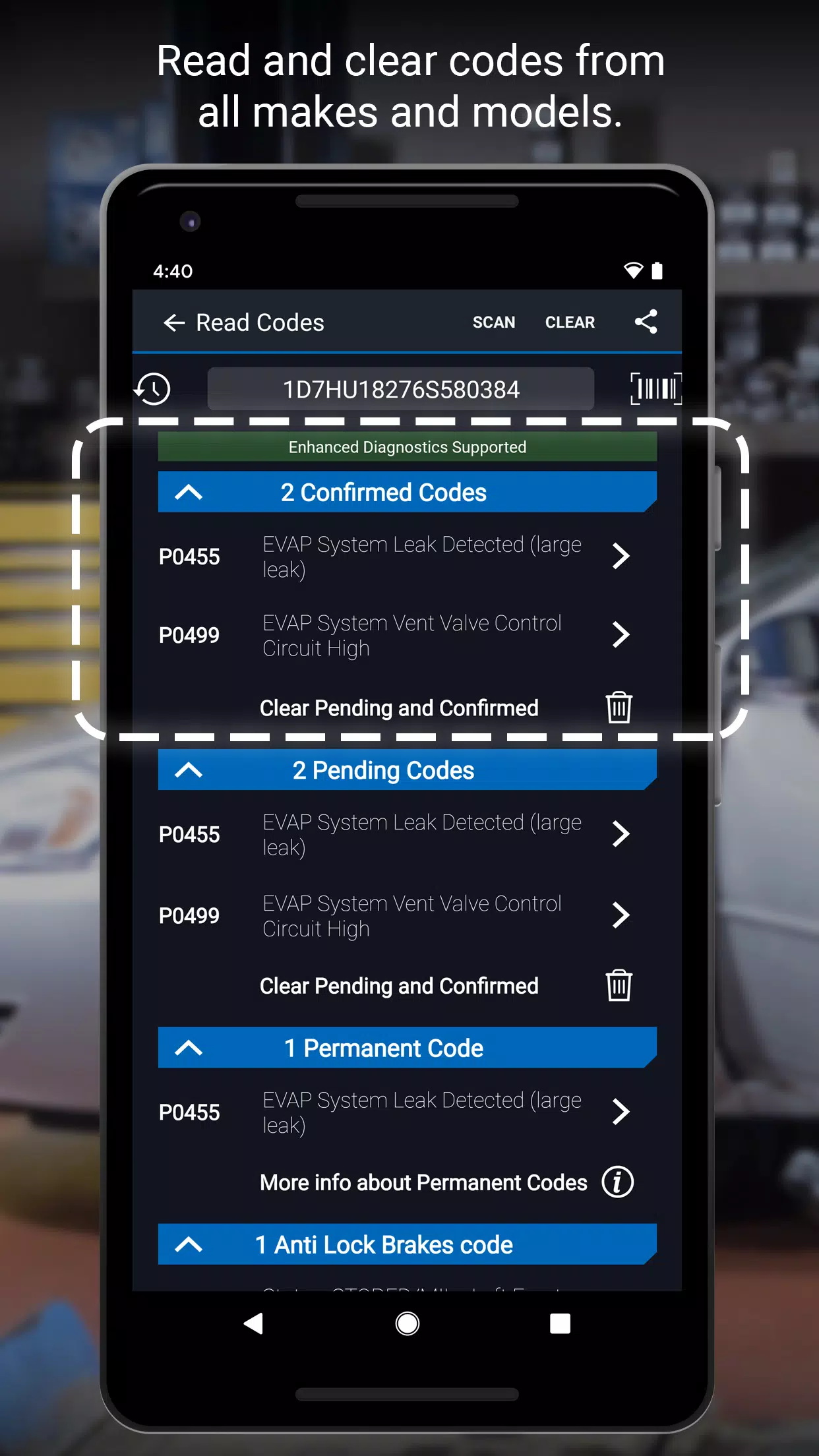
Read and clear DTCs (Diagnostic Trouble Codes), check emissions readiness, capture freeze frame data, and access advanced Mode 6 On-Board Monitoring. -
Wireless Bluetooth Connectivity
Pair seamlessly with your smartphone or tablet (iOS & Android) — no cables, no hassle. -
Advanced System Support
Diagnose critical systems across a wide range of vehicles:- GM, Ford, Chrysler, Toyota, Nissan, Mazda, Hyundai/Kia, Mitsubishi
- Mercedes (2005+), BMW/Mini, Honda/Acura, Volkswagen/Audi (NA models), Subaru (U.S. only)
-
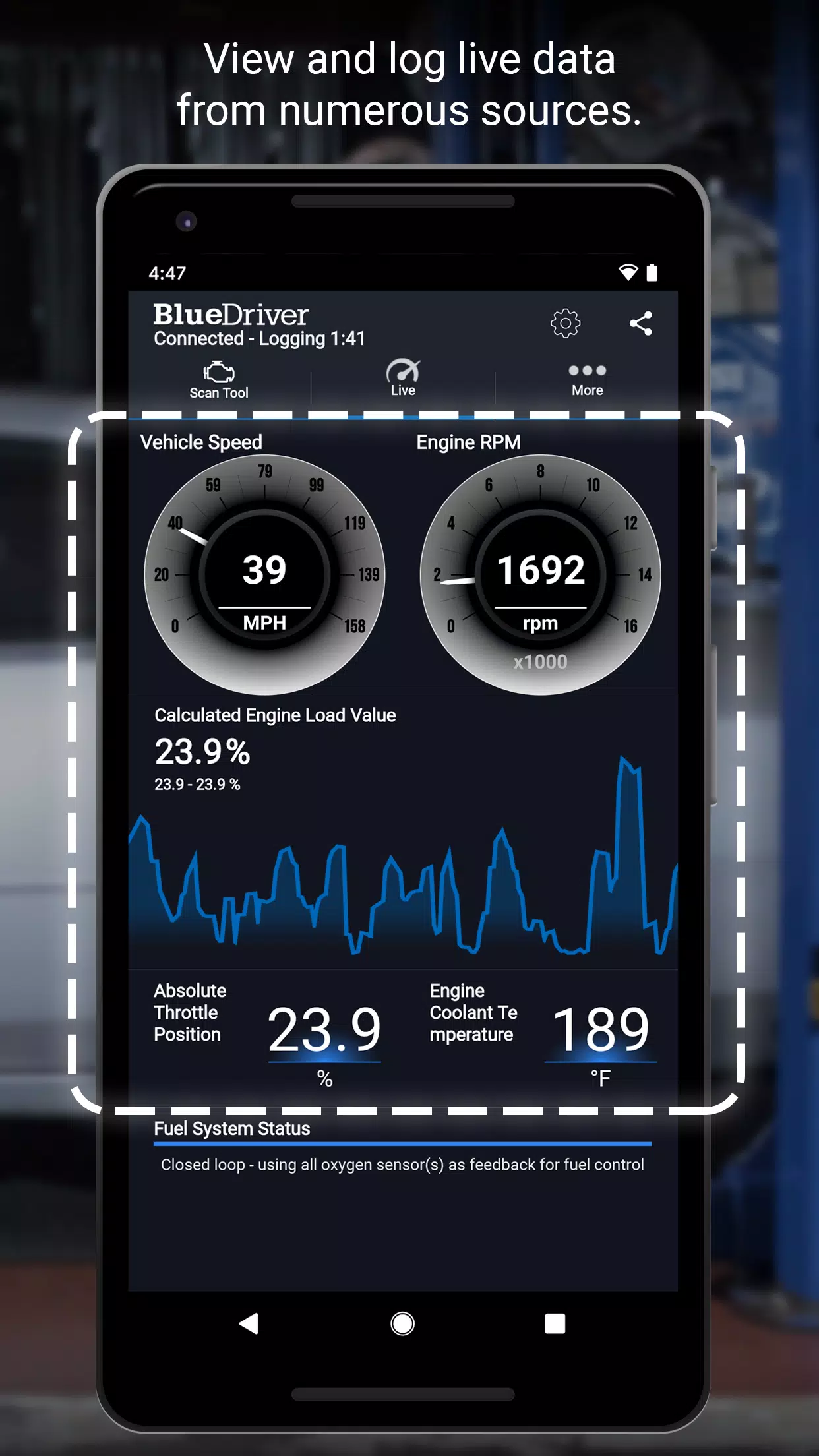
Interactive Data Logging & Graphing
Monitor real-time engine parameters (e.g., RPM, coolant temp, fuel trim) with visual graphs for deeper troubleshooting. -
Global Vehicle Compatibility
Works with all OBD2-equipped vehicles built after 1996 — worldwide. -
Dual Unit Support
Switch between metric and imperial units for user preference.
📌 BlueDriver Repair Reports – The Smart Way to Fix Your Car
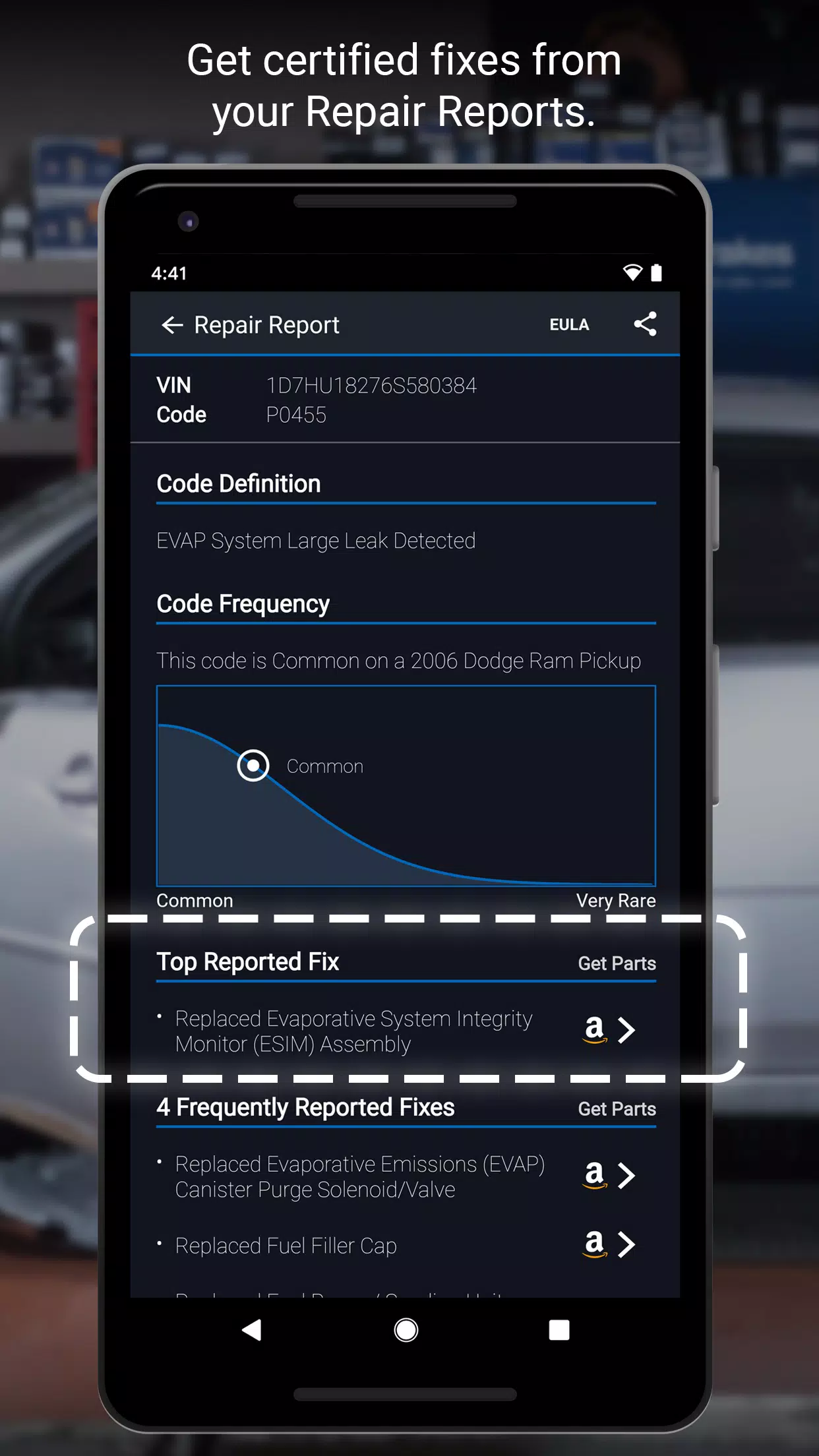
Go beyond basic codes with actionable, vehicle-specific repair guidance powered by a massive database of over 30 million verified repair solutions.
🔹 Top Reported Solutions – Ranked by success rate
🔹 Vehicle-Specific Fixes – Based on your exact year, make, and model
🔹 Alternative Repair Options – Compare paths to resolution
🔹 Print & Share Reports – Perfect for shops, mechanics, or sharing with a trusted technician
💡 Unlike generic OBD2 tools that only display code definitions, BlueDriver gives you the actual repair path — saving time, money, and confusion.
🛠️ How It Works
- Download the Free BlueDriver App (iOS & Android)
- Connect the BlueDriver Sensor (sold separately) to your OBD2 port (under the dashboard, near the steering wheel)
- Scan your vehicle and instantly generate a detailed Repair Report
- Fix the issue with confidence — using proven, expert-recommended solutions
⚠️ Note: Basic Repair Reports can be generated without a sensor by manually entering your VIN and DTC.
🌍 Where to Buy & Learn More
- 📲 Download the app: www.BlueDriver.com
- 🔗 Buy the BlueDriver Sensor: Shop on BlueDriver.com
- 📘 Explore sample Repair Reports in the app
- 💬 Join the community: Facebook.com/BlueDriver.f
- 🐦 Follow us: @BlueDriver_tw
📝 Latest Update: Version 7.14.2 (November 9, 2024)
- Improved app performance and stability
- Faster report generation
- Enhanced Bluetooth pairing reliability
- Better user interface responsiveness
✅ Why Choose BlueDriver?
- Trusted by professional mechanics and automotive experts
- Simplifies complex diagnostics for non-technical users
- Saves time and money by preventing misdiagnosis and unnecessary repairs
- Continuously updated with new vehicle support and repair data
🚗 BlueDriver® – Know Your Car. Fix It Right.
Let me know if you’d like this formatted as a brochure, social media post, email newsletter, or product listing!
Capture d'écran
Reviews
Post Comments
Derniers articles

KartRider Rush+ lance sa nouvelle saison avec une collaboration sur la sécurité routière
KartRider Rush+ se prépare à lancer sa nouvelle saison passionnanteLa célébration s’ouvre avec un partenariat unique impliquant la police coréenne !Collectez des équipements de collaboration exclusifs tout en maîtrisant les règles de sécurité routièr

Word on some Feb. 14th cards Crossword Clue - Try Hard Guides
Nous avons trouvé la réponse en 3 lettres pour l'indice de mots croisés « Mot sur certaines cartes du 14 février », qui est apparu dans le jeu de mots croisés « Missing Letter » daté du 13 juin 2026. Parfois, un peu d'aide est exactement ce dont vous

Indice de mots croisés : le film le plus rentable de 2010 - Essayez des guides durs
Nous proposons la solution à six lettres pour l’énigme de crossword « Highest-grossing movie of 2010 », qui est apparue dans le puzzle de crossword du Daily Beast daté du 18 juin 2026. Cette réponse vous aidera à compléter votre énigme actuelle.
High
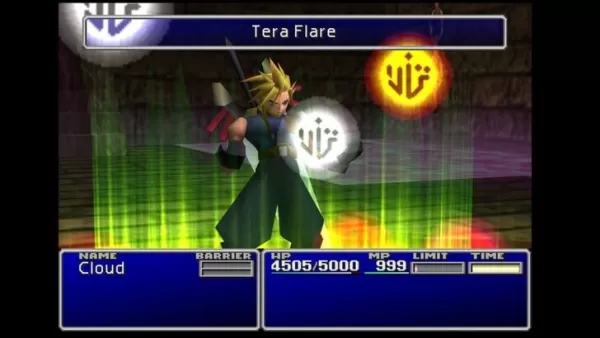
Le succès de l'Expédition 33 pousse Final Fantasy à reconsidérer son système de combat au tour par tour
Suite au triomphe de l’Expédition 33, Final Fantasy pourrait revenir à ses origines au tour par tour. Poursuivez la lecture pour découvrir la perspective de Square Enix sur les combats au tour par tour et les difficultés de l’entreprise après le dépa

Pixel Starships dévoile une collaboration avec Cyanide & Happiness : nouveaux personnages et humour déjanté
Pixel Starships injecte une fantaisie fraîche dans son dernier événement de collaborationLe webcomic bien-aimé Cyanide and Happiness entre dans l'arène RPG intergalactique en 8 bitsAccomplissez des missions thématiques et échangez des armes puissante

Harry Potter : 7 ans de cadeaux réels et virtuels
Un coffret cadeau Harry Potter Butterbeer et Mugs disponible dès maintenantOpportunité de gagner des billets pour la production de Broadway de Harry Potter et l'Enfant mauditÉvénements supplémentaires en avril à venirVous avez fini tous vos chocolats
Applications semblables à BlueDriver

현대/제네시스 인증중고차
Auto et véhicules丨62.0 MB

Cargorun
Auto et véhicules丨89.0 MB
RHG ENERTÜRK
Auto et véhicules丨42.3 MB
UNO STAR
Auto et véhicules丨11.4 MB


Yaskrava
Auto et véhicules丨13.0 MB

Ctparkea
Auto et véhicules丨25.9 MB
Elite
Auto et véhicules丨52.5 MB
Dernières applications


WhatsGPS
Auto et véhicules丨77.8 MB

Catholic
La vie à la mode丨38.30M

HG HYPER GRINDER
La vie à la mode丨12.20M


지하철 노선도
La vie à la mode丨22.80M

Ultimate Poser
Conception d'art丨170.6 MB
Applications tendance
Plus +









Meilleures nouvelles
Plus +

01
12-10
La renaissance de la civilisation : pré-inscrivez-vous à After Inc
Ndemic Creations, le studio derrière le célèbre Plague Inc., lance un nouveau jeu : After Inc. Ce jeu déplace l'attention du déclenchement de fléaux dévastateurs vers la tâche Monumental de reconstruction de la civilisation après le virus Necroa, le célèbre créateur de morts-vivants. maladie de la peste
02
01-23
WWE 2K25 devrait avoir un impact colossal le 27 janvier
WWE 2K25 : le 27 janvier détient la clé
Préparez-vous, fans de WWE 2K25 ! Le 27 janvier s'annonce comme un jour majeur pour la franchise, avec un teaser faisant allusion à une révélation importante. Le battage médiatique grandit, alimenté par les messages énigmatiques du compte Twitter officiel de la WWE et la promesse de plus d'informations par
03
02-24
L'expansion Pokémon TCG dévoile l'aventure spatiale
Extension de Space Time SmackDown de Pokémon TCG Pocket: un aperçu détaillé
Pokémon TCG Pocket a lancé sa dernière mise à jour majeure, présentant l'extension de SmackDown Space Time, un nouvel ensemble sur le thème autour de Pokémon Diamond et Pearl. Cette extension, disponible dans les packs de rappel sur le thème de Dialga et de Palkia, F
04
01-21
Les mises à jour de Final Fantasy corrigent un problème de contrôleur
Les correctifs pour FINAL FANTASY VII Remake sont désormais disponibles sur Steam, Epic Games Store et PlayStation 5. Cette mise à jour résout les problèmes liés aux moteurs de vibration des contrôleurs. Le jeu suit Cloud Strife, un ancien SOLDAT, alors qu'il rejoint Avalanche pour empêcher la Shinra Electric Power Company de détruire le
05
01-16
Zenless Zone Zero confirme le programme spécial de la version 1.5 Livestream Date et heure
RésuméZenless Zone Zero a révélé la date de début de la version 1.5 "Astra-nomical Moment" le 10 janvier à 19h30 (UTC 8). La version 1.5 prévoit d'ajouter les personnages de rang S Astra Yao et Evelyn Chevalier. On ne sait pas grand-chose d'autre sur la version 1.5, bien que des fuites récentes aient révélé de nombreux nouveaux contenus et événements
Sujets
Plus +


