
Descripción de la aplicación
Here's a clear, concise summary and overview of the BlueDriver® OBD2 Scan Tool based on the provided information — ideal for users, customers, or marketers:
🔧 BlueDriver® OBD2 Scan Tool – Professional-Grade Vehicle Diagnostics
Your All-in-One Solution for Reliable, Smart Vehicle Diagnostics
Whether you're a professional mechanic, automotive enthusiast, or a driver troubleshooting the Check Engine Light, BlueDriver® delivers expert-level diagnostics with ease — all powered by real-world data.
✅ Key Features
-
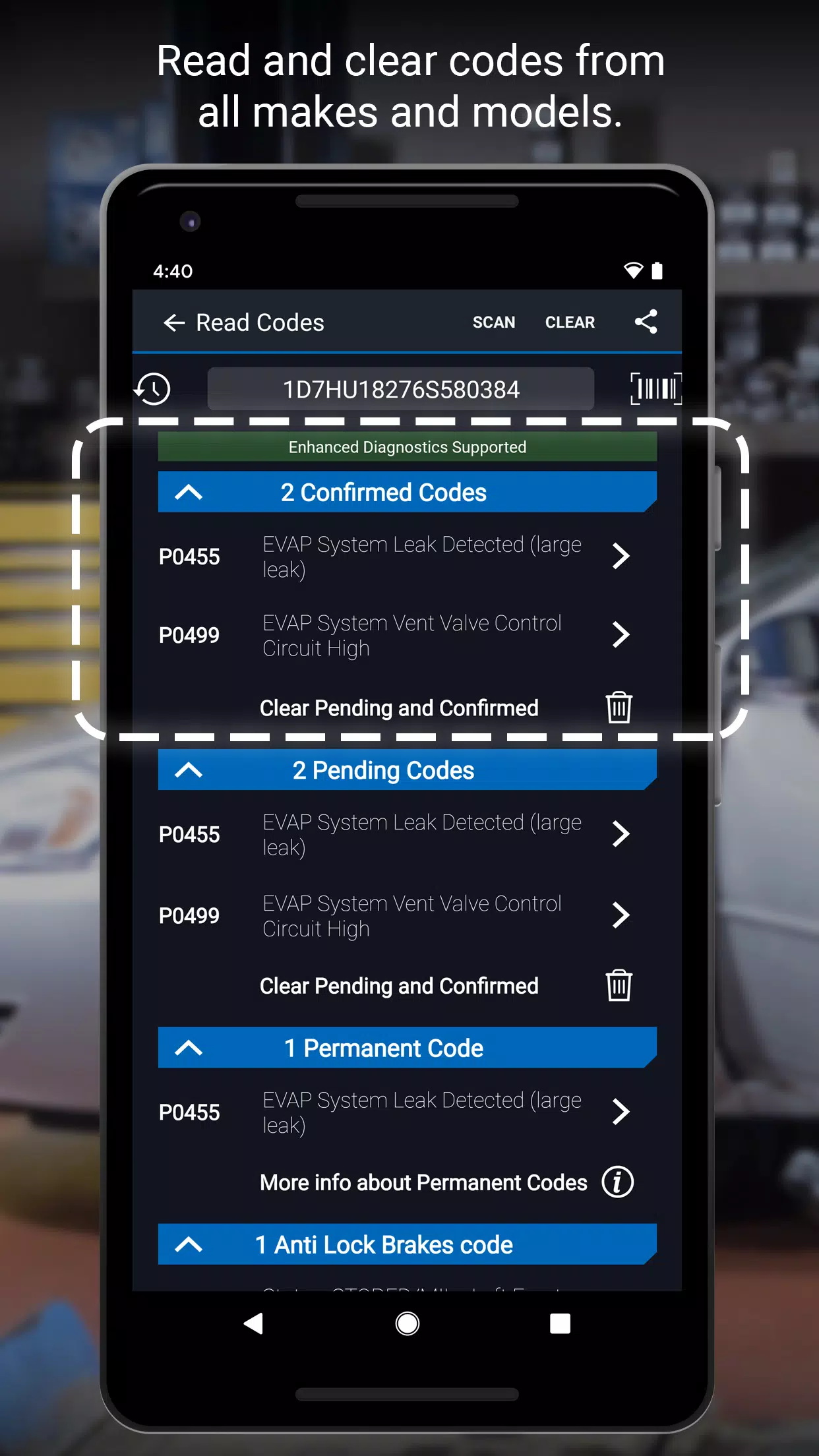
Comprehensive Diagnostics
Read and reset DTCs (Diagnostic Trouble Codes), access freeze frame data, and perform emissions readiness checks. -
Advanced System Support
Diagnose critical systems across a wide range of vehicles:- ABS, Airbag, Transmission, and more
- Supports GM, Ford, Chrysler, Toyota, Nissan, Mazda, Hyundai/Kia, Mitsubishi, and Mercedes (2005+)
- North American models: BMW/Mini, Honda/Acura, Volkswagen/Audi, Subaru (U.S. only)
-
Mode 6 On-Board Monitoring
View advanced test results for in-depth vehicle health analysis. -
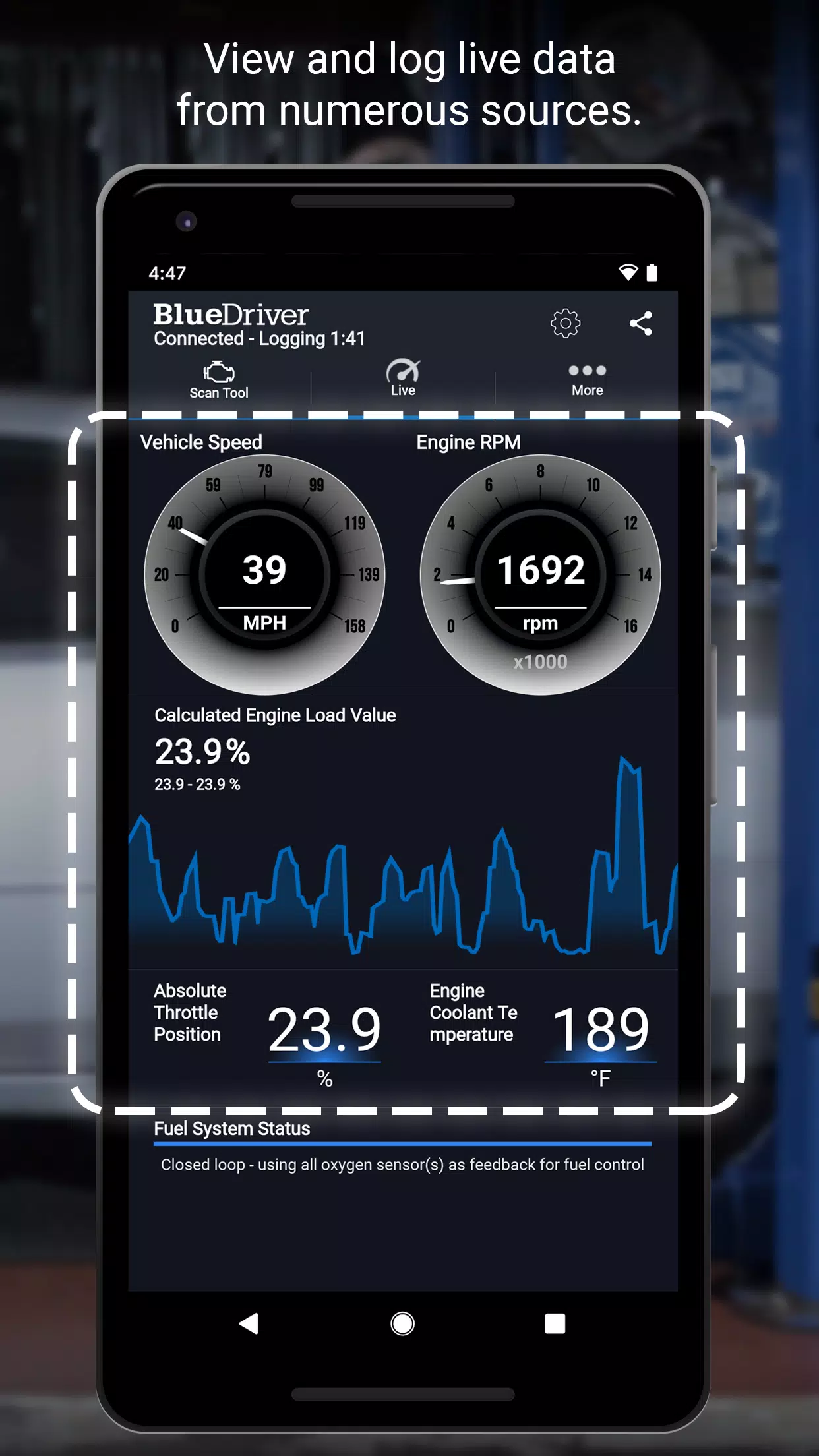
Interactive Graphing & Data Logging
Monitor real-time parameters (e.g., engine RPM, coolant temp, fuel trim) with dynamic visual feedback. -
Wireless Bluetooth® Connectivity
Connects seamlessly to iOS and Android devices via the free BlueDriver app. -
Dual Unit Support
Toggle between metric and imperial units for global usability. -
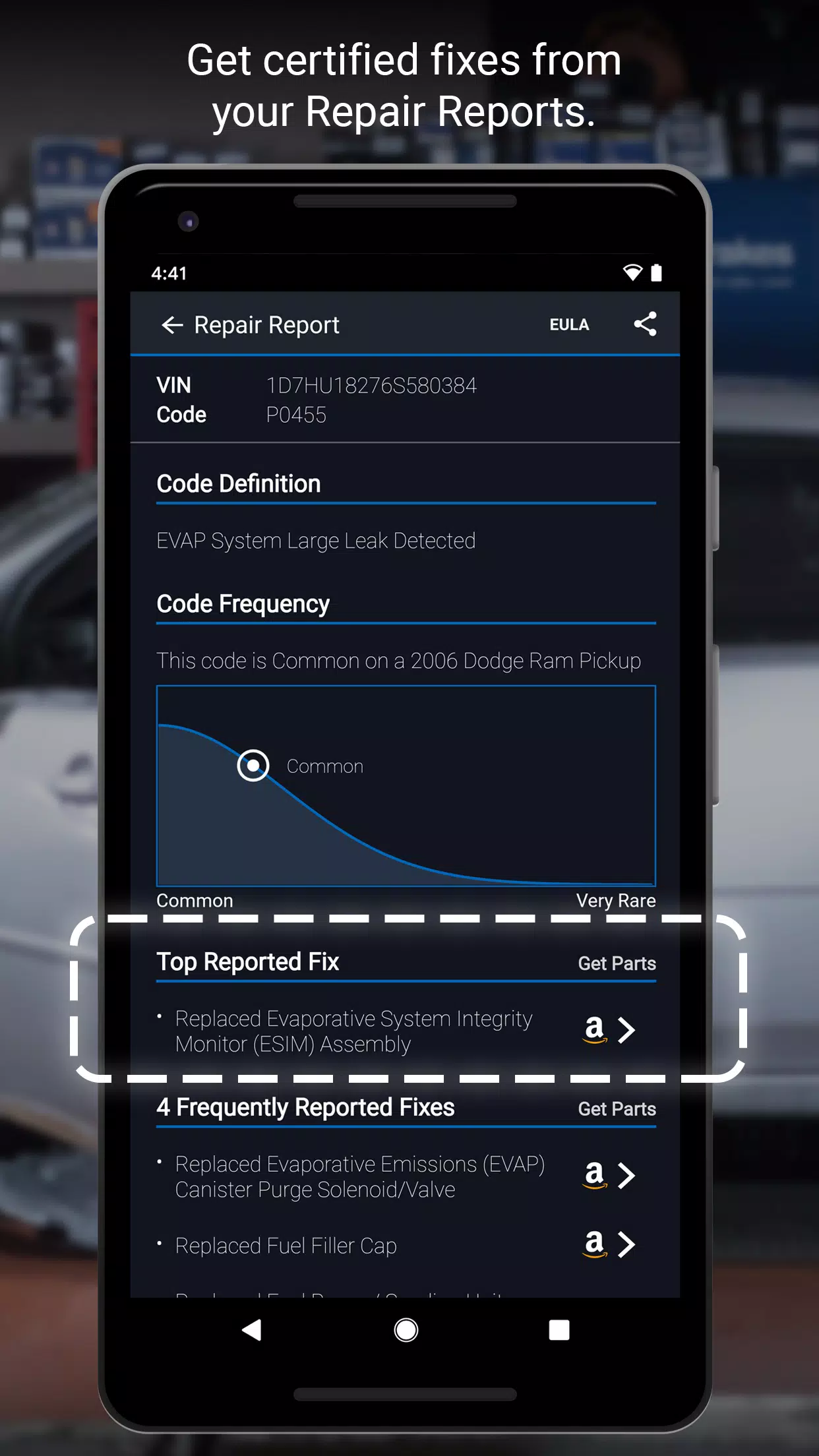
Repair Report Generator (Built-in Database)
→ Over 30 million verified repair solutions
→ Vehicle-specific fixes ranked by effectiveness
→ From Top Reported Solutions to alternative fixes
→ Go beyond generic code definitions — get actionable, step-by-step repair guidance
💡 View sample Repair Reports in-app – no sensor required to explore basic diagnostics!
📲 How It Works
- Plug the BlueDriver Bluetooth® OBD2 Sensor into your vehicle’s standard OBD2 port (under the dashboard, near the steering wheel).
- Pair with the free BlueDriver app via Bluetooth.
- Read codes, analyze live data, and generate detailed Repair Reports — instantly.
- Print, email, or share reports with mechanics or colleagues.
⚠️ Note: The app is free, but full diagnostic functionality requires the BlueDriver Sensor (sold separately).
🔗 Buy it via the app’s “More” tab or at www.BlueDriver.com
🌍 Global Compatibility
- Works with all OBD2-equipped vehicles manufactured after 1996
- Supports international models with region-specific compatibility
📣 Join the BlueDriver Community
- Share experiences, ask questions, and learn from other users
- Stay updated on new features and vehicle support
- Follow us:
🔗 Facebook: @BlueDriver.f
🐦 Twitter: @BlueDriver_tw
🔄 Latest Update – Version 7.14.2 (Nov 9, 2024)
- Improved app performance and stability
- Faster data processing and smoother user experience
- Enhanced reliability for report generation and sensor pairing
🎯 Why Choose BlueDriver?
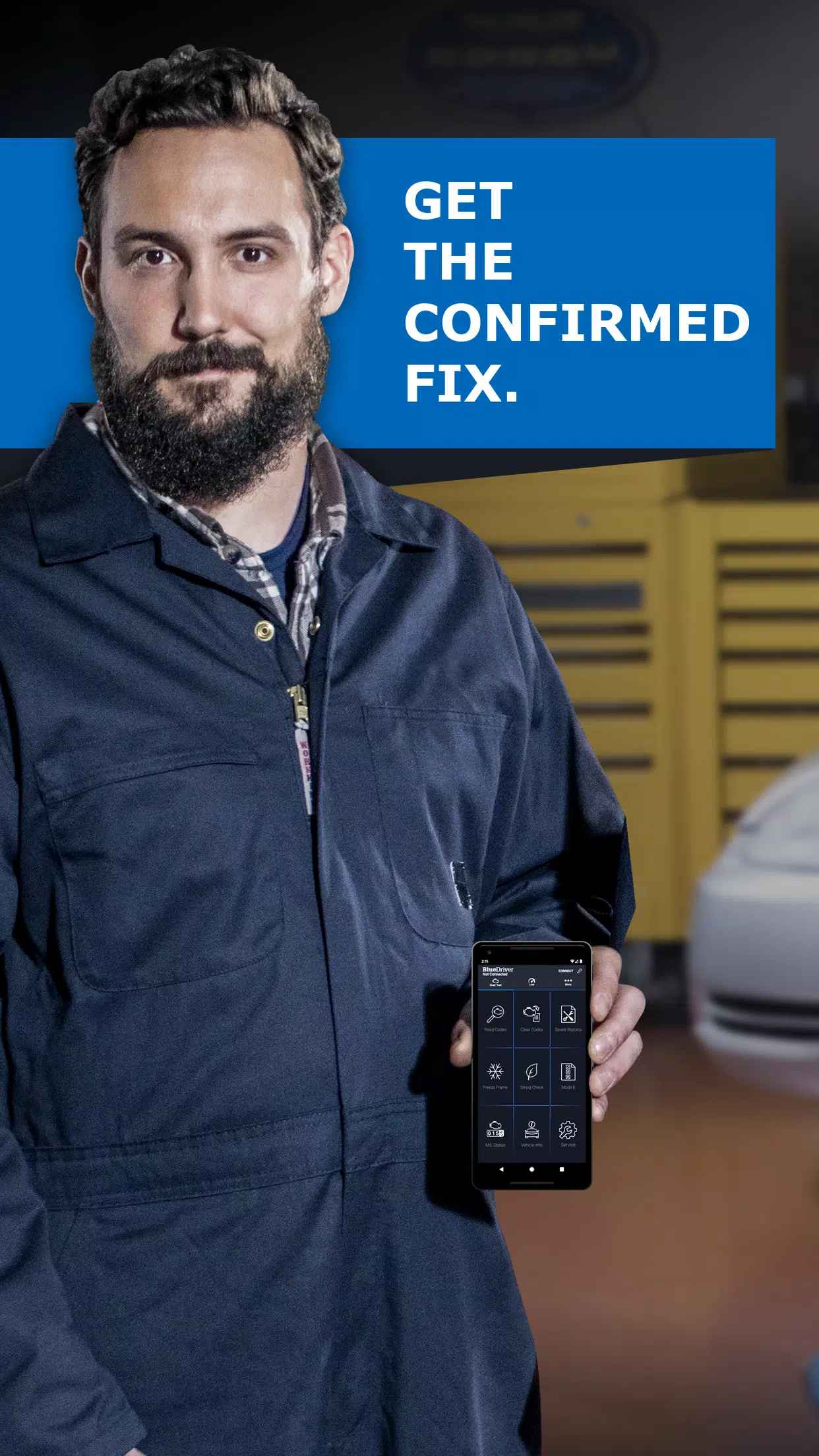
Unlike generic scanners that just show codes, BlueDriver gives you the FIX.
With millions of verified repairs and vehicle-specific guidance, it’s not just a scanner — it’s your trusted diagnostic partner.
✅ Get started today at: www.BlueDriver.com
🔍 Download the free app and unlock smarter, faster, more accurate vehicle diagnostics.
Let BlueDriver turn mystery into clarity — one repair at a time. 🛠️🚗💨
Captura de pantalla
Reviews
Post Comments
Últimos artículos

Pista de crucigrama: Elección de color en una tienda de pinturas - Try Hard Guides
Tenemos la respuesta de 3 letras para Elección de color en una tienda de pinturas como pista de crucigrama, vista por última vez en el rompecabezas del Daily Pop Crossword del 21 de junio de 2026. ¡A veces todos necesitamos un poco de ayuda para enco

KartRider Rush+ inicia su nueva temporada con una colaboración sobre seguridad vial
KartRider Rush+ se prepara para lanzar su emocionante nueva temporadaLa celebración comienza con una asociación única que cuenta con la fuerza policial de Corea del Sur.Recoge equipamiento exclusivo de colaboración mientras dominas las normas de segu

Pista de crucigrama: "Word on some Feb. 14th cards" - Try Hard Guides
Hemos encontrado la respuesta de 3 letras para la pista de crucigrama "Palabra en algunas tarjetas del 14 de febrero", que apareció en el crucigrama Letra Faltante fechado el 13 de junio de 2026. A veces, un poco de ayuda es exactamente lo que necesi

Pista de crucigrama: la película más taquillera de 2010 - Try Hard Guides
Proporcionamos la solución de seis letras para la pista de crucigrama "Highest-grossing movie of 2010", que apareció en el crucigrama del Daily Beast con fecha del 18 de junio de 2026. Esta respuesta le ayudará a completar su crucigrama actual.
Pelíc
El éxito de la Expedición 33 impulsa a Final Fantasy a reconsiderar su sistema por turnos
Tr tras el triunfo de Expedition 33, Final Fantasy podría estar regresando a sus orígenes por turnos. Continúa leyendo para descubrir la perspectiva de Square Enix sobre el combate por turnos y las dificultades de la compañía tras la partida del crea

Pixel Starships revela colaboración con Cyanide & Happiness: nuevos personajes y humor absurdo
Pixel Starships inyecta un toque de fantasía fresca en su último evento de colaboraciónEl amado webcómic Cyanide and Happiness entra en la arena del RPG interestelar de estilo 8 bitsCompleta misiones temáticas e intercambia armas poderosas con comerc
Aplicaciones como BlueDriver

현대/제네시스 인증중고차
Autos y vehículos丨62.0 MB
Cargorun
Autos y vehículos丨89.0 MB
RHG ENERTÜRK
Autos y vehículos丨42.3 MB
UNO STAR
Autos y vehículos丨11.4 MB


Yaskrava
Autos y vehículos丨13.0 MB

Ctparkea
Autos y vehículos丨25.9 MB
Elite
Autos y vehículos丨52.5 MB
Últimas aplicaciones

WhatsGPS
Autos y vehículos丨77.8 MB

Catholic
Vida de moda丨38.30M
HG HYPER GRINDER
Vida de moda丨12.20M


지하철 노선도
Vida de moda丨22.80M

Ultimate Poser
Diseño artístico丨170.6 MB
Aplicaciones de moda
Más +







Noticias principales
Más +
01
01-23
WWE 2K25 tendrá un impacto colosal el 27 de enero
WWE 2K25: el 27 de enero tiene la clave
¡Prepárense, fanáticos de WWE 2K25! El 27 de enero se perfila como un día importante para la franquicia, con un adelanto que insinúa una revelación importante. El revuelo está aumentando, impulsado por mensajes crípticos de la cuenta oficial de Twitter de la WWE y la promesa de más información por parte de
02
12-10
El renacimiento de la civilización: preinscripción para After Inc
Ndemic Creations, el estudio detrás del aclamado Plague Inc., está lanzando un nuevo juego: After Inc. Este juego cambia el enfoque de desatar plagas devastadoras a la tarea Monumental de reconstruir la civilización después del virus Necroa, el notoriamente desafiante creador de muertos vivientes. enfermedad de la peste
03
02-24
La expansión de Pokémon TCG revela la aventura en el espacio-tiempo
Pokémon TCG Pocket's Space Time Smackdown Expansion: una descripción detallada
Pokémon TCG Pocket ha lanzado su última actualización importante, presentando la expansión Space Time Smackdown, un nuevo set con el tema de Pokémon Diamond y Pearl. Esta expansión, disponible en paquetes de refuerzo de Dialga y Palkia, F
04
01-16
Zenless Zone Zero confirma la versión 1.5 del programa especial Livestream Fecha y hora
ResumenZenless Zone Zero reveló la fecha de inicio de la versión 1.5 "Astra-nomical Moment" el 10 de enero a las 19:30 (UTC 8). La versión 1.5 planea agregar los personajes de rango S Astra Yao y Evelyn Chevalier. No se sabe mucho más sobre la versión 1.5, aunque filtraciones recientes han provocado muchos contenidos y eventos nuevos.
05
01-21
Las actualizaciones de Final Fantasy solucionan el problema del controlador
Los parches para FINAL FANTASY VII Remake ya están disponibles en Steam, Epic Games Store y PlayStation 5. Esta actualización resuelve problemas con los motores de vibración del controlador. El juego sigue a Cloud Strife, un ex SOLDADO, mientras se une a Avalanche para evitar que Shinra Electric Power Company destruya
Temas
Más +


