
アプリケーションの説明
A car dock app that makes it easy to listen to music and manage your phone on the go.
Car Home Ultra is a car dock application designed to simplify phone management while driving.
It launches automatically when your car's Bluetooth is detected, and you can easily return to CHU by tapping the home or overlay button (see Settings → Startup Options).
Car Home Ultra includes numerous task automation features to optimize your phone for car use, such as Auto Startup, display brightness control, volume adjustment, Wi-Fi settings, and more.
More Features:
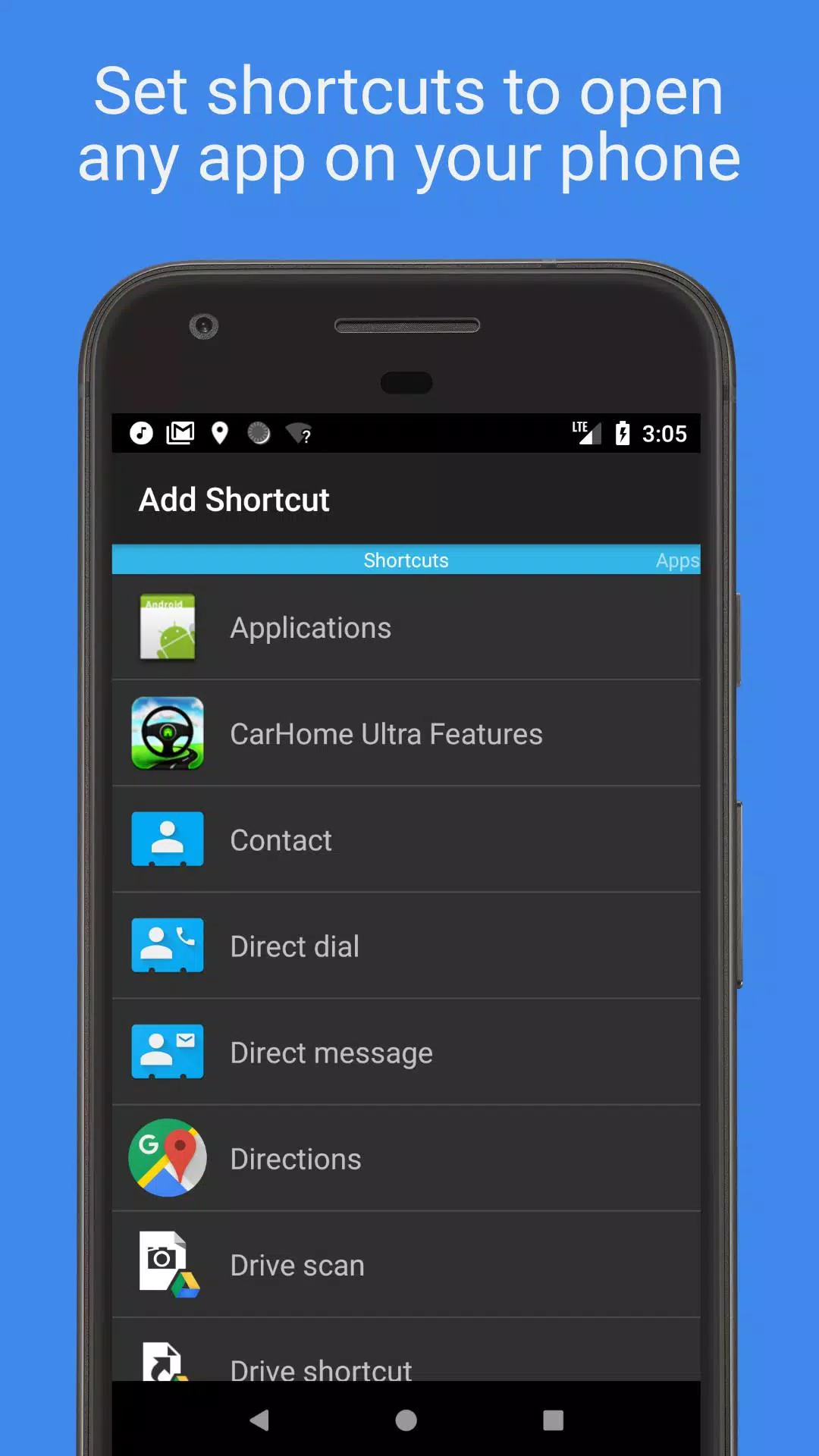
- Create unlimited shortcuts to launch apps, dial contacts directly, or navigate to specific destinations.
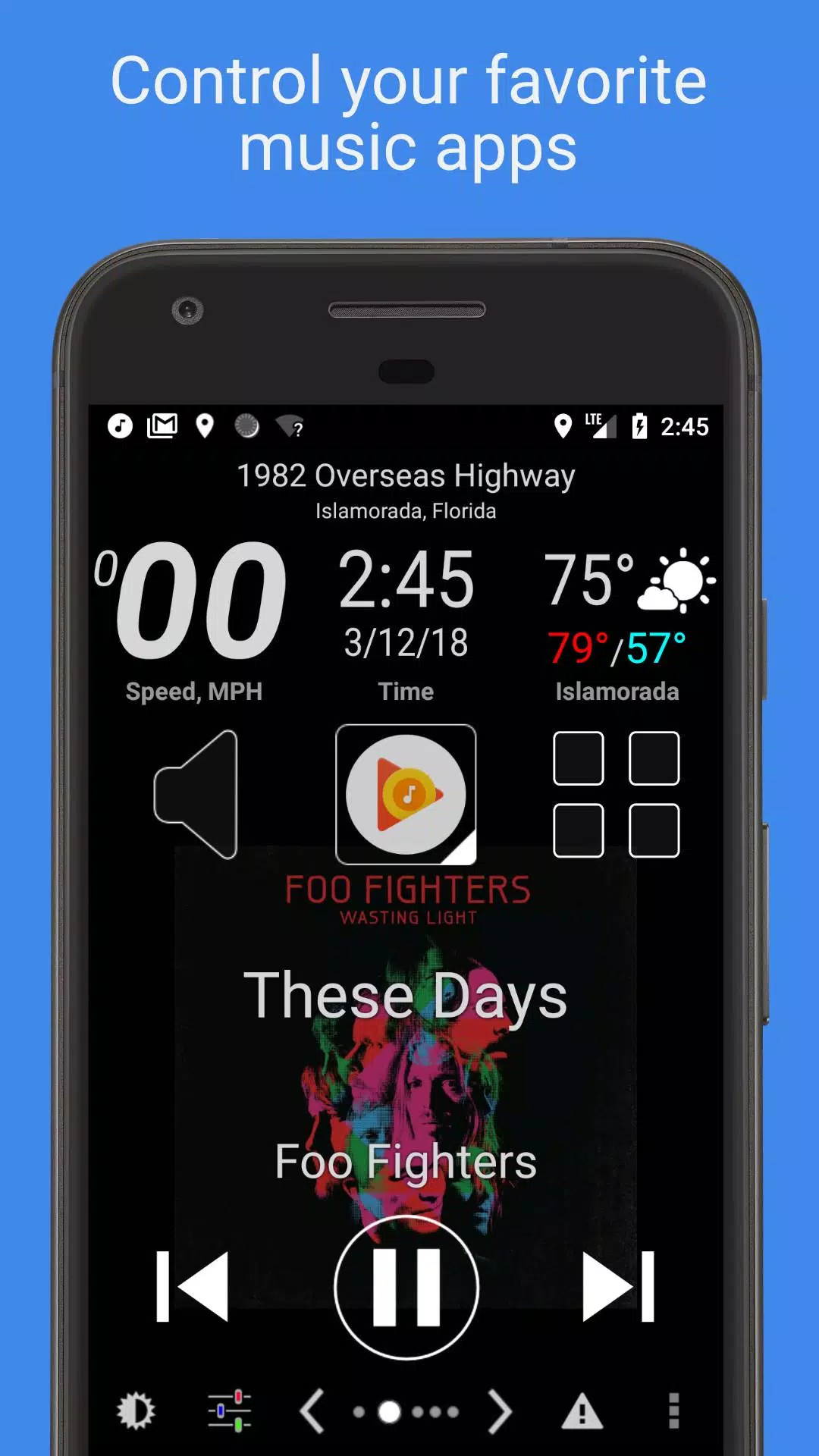
- Manage any music or podcast app with large, easy-to-use media controls.
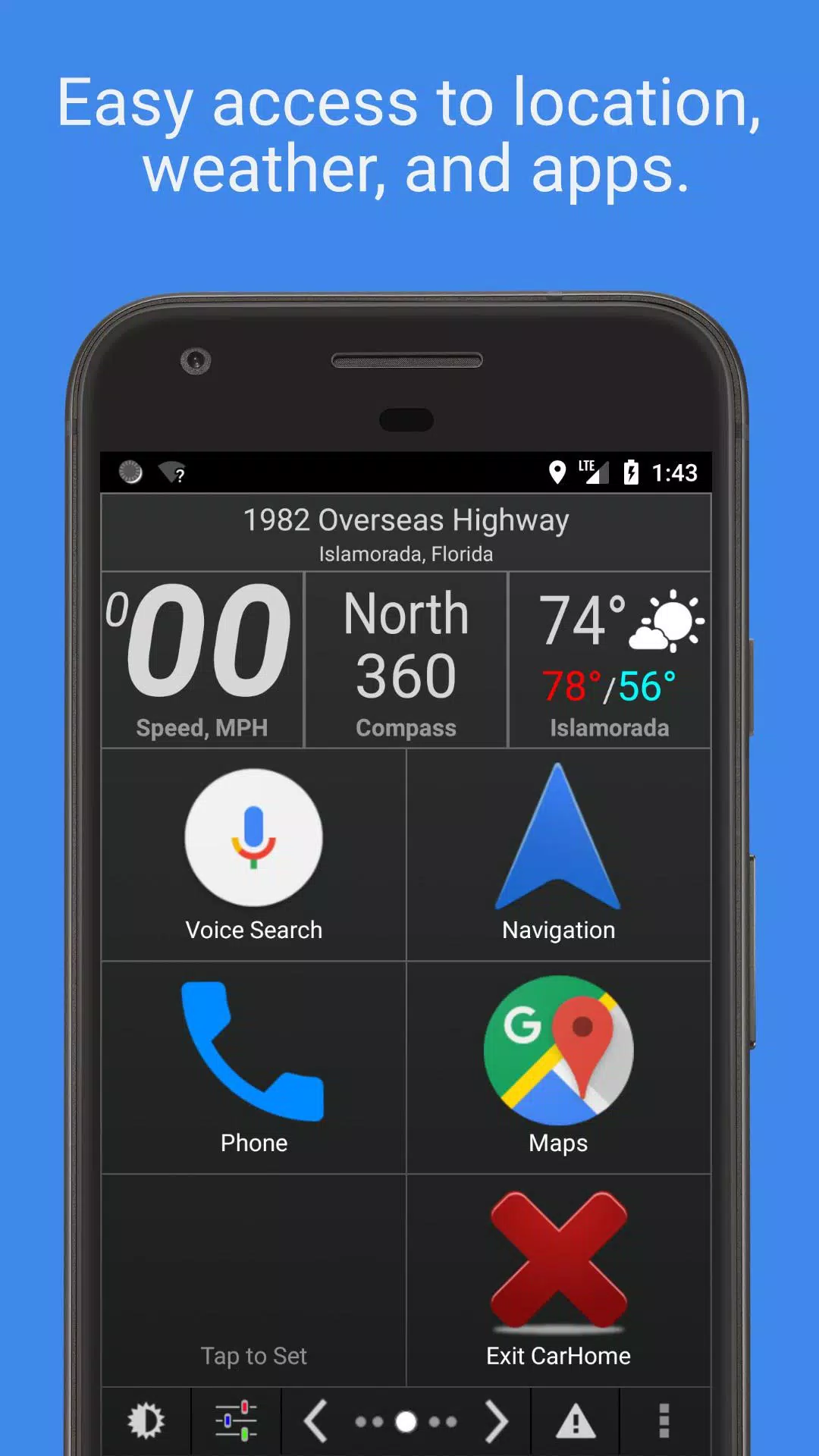
- Stay informed with built-in widgets displaying speed, location, weather, altitude, and more.
- Choose from multiple skins and color schemes for hundreds of unique looks.
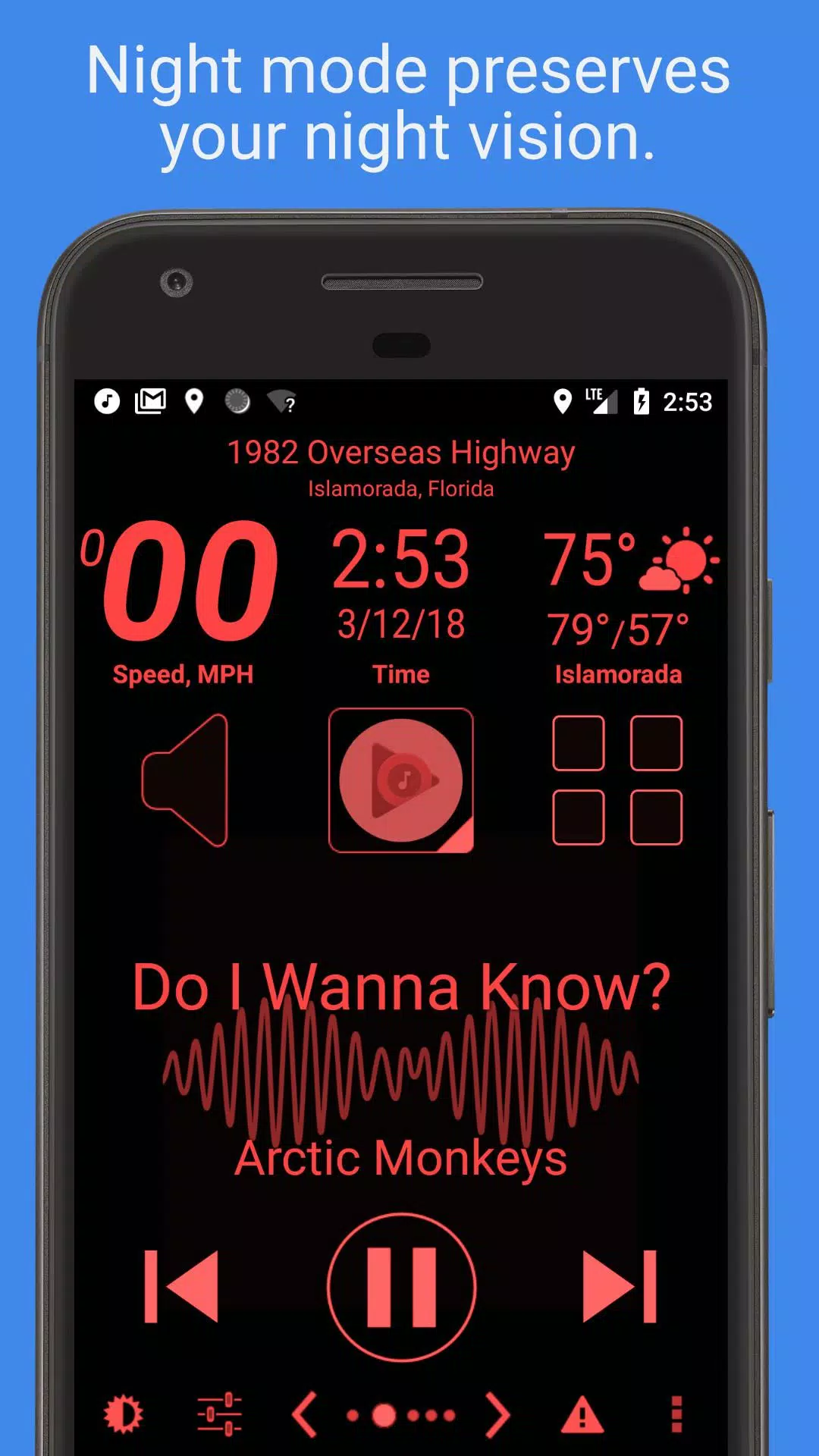
- Automatic Day and Night themes to protect your night vision.
- Automatic SMS Replies to keep your focus on the road.
- Speed Alerts to help avoid tickets.
- Explore the full feature list below.
Mark the Geek: "CarHome Ultra for Android - Perfect App for in Car Dock"
https://www.youtube.com/watch?v=9g-Aonh645Y
Android 4.2+ users can utilize Google Voice Commands for a hands-free experience. Learn more here: https://support.google.com/websearch/answer/6031948?hl=en
**This is a 30-day trial. To continue using the app, purchase the CarHome Ultra License for unlimited access.**
Data Widgets:
- - Speedometer (speaks when pressed)
- - Compass
- - Altimeter
- - Battery Meter
- - Clock
- - Current Weather Conditions (speaks when pressed)
- - Current Location (speaks when pressed)
Other Features:
- - Integrated Media Controller (Play/Pause, Next, Previous, Artist, Title)
- - Unlimited custom shortcuts
- - Location alerts
- - Custom Day/Night color schemes
- - Multiple skins and color schemes
- - Auto-switch between Day/Night themes based on sunrise and sunset
- - Optional speakerphone mode when docked
- - Launches automatically on Bluetooth connection
- - Optional auto Bluetooth on with Car Mode
- - Optional auto Bluetooth off when exiting Car Mode
- - Optional Wi-Fi on/off with Car Mode
- - Displays speed in KPH or MPH
- - Displays temperature in Celsius or Fahrenheit
- - Full Screen Mode
- - Icon Pack support
- - Lock Screen Rotation (landscape, portrait, reverse landscape, reverse portrait)
- - Android 5 Material Design
- - Brightness and Display Mode controls
- - Volume controls
- - Tactile Button Response
- - Mute Alerts
- - 3 Page Types: 6-button, 8-button, and media controller
- - Sleep Mode to save power and reduce heat
- - Keep Display On until app exit
- - Stop music/media on exit
- - Android Auto was partially inspired by this app.
HAVE A PROBLEM? Email us: [email protected]
App Permission Descriptions:
- Device & App History – Required for the Media Controller to detect compatible media players.
- Contacts/Calendar – Required for setting up direct dial shortcuts. Calendar permission is bundled with contacts.
- Location – Required for GPS features like speedometer, compass, altimeter, and weather.
- Phone – Required for the Direct Dial shortcut feature.
- Photos/Media/Files – Required for Debug Log functionality. Photos and Media are bundled permissions; the app does not use them.
- Camera/Microphone – Microphone permission is needed for future voice features and current audio visualization. Camera permission is bundled but unused.
- Wi-Fi Connection – Required to enable or disable Wi-Fi.
スクリーンショット
Reviews
Post Comments
最新の記事
クラシックJRPG『トリニティ・トリガー』がモバイルでリリース開始
Trinity TriggerがiOSとAndroidで配信開始 90年代の名作からインスピレーションを得た、モバイルでのクラシックJRPGアクションを体験しよう 8種類の武器タイプに瞬時に切り替え、パーティーを組み上げて難易度の高いダンジョンを攻略せよ 「昔ながらのJRPG」と聞けば、『ドラゴンクエスト』や『ファイナルファンタジー』シリーズが思い浮かぶだろう。だが現実的な視点で言えば、90年代のゲームですら既に25年以上前の作品となっている。そんなノスタルジックな時代を意識した新登場モバ

『ソニックレーシング クロスワールドズ』クローズドテストの機能を公開
『ソニックレーシング:クロスワールドズ』では、ソニックシリーズ内外の人気キャラクターたちが多数登場します。最新のアップデートで公開された新機能やゲームプレイの仕組み、そして近日開始予定のクローズドネットワークテストに関する詳細をぜひご確認ください。ソニックレーシング:クロスワールドズの注目新機能とゲームシステムシリーズ最多となるキャラクター数セガとソニックチームはカートレーシングシリーズ最新作『ソニックレーシング:クロスワールドズ』の開発を進めており、これまでのシリーズで最も豊富なキャラクターラ
『ブルーアーカイブ』水着キャラクター登場、新ストーリー追加
「夢の痕跡」ストーリーを体験しよう 最大100回の無料招募チャンスを受け取ろう 学生の特別な水着バージョンをアンロックしよう Nexonは『Blue Archive』に大規模アップデートを導入し、RPGの物語に新しい章を加えました。メインストーリー第1部「Foreclosure Task Force」第3章「夢の痕跡」– パート5の更新では、祝祭的なイベントと特別学生の招募、「Sheside Outside」イベントストーリーが追加されました。現在から2月まで、プレイヤーは多くの新コンテン

マインクラフト:焚火台の作り方
キャンプファイヤーの使い方をマスターすることは、Minecraft初心者にとって不可欠です。単なる装飾品以上の存在であり、この多目的なブロックは最初の夜から非常に価値あるものとなります。画像: ensigame.com信頼できる光源、調理台、モブの忌避効果を一つに備えたキャンプファイヤーは、サバイバル体験を革新します。このガイドでは、クラフトレシピから高度なゲーム内活用方法まで幅広く解説します。目次概要と作り方 主な機能 その他の特徴 ソウルキャンパーとの違い サバイバル戦略 0 0 この投稿

2025年に買いたいトップD&D本
Dungeons & Dragons が黄金期を迎えていると言っても過言ではない。『ストレンジャー・シングス』が巻き起こしたノスタルジーの波から、『ハリー・ポッターとアズカバンの囚人』ではなく『ダンジョンズ&ドラゴンズ/盗賊たちの栄光』(Honor Among Thieves)の興行収入成功、YouTubeやポッドキャストでのテーブルトークRPGコンテンツの急増、そして記録的な人気を博した『バルドゥールのゲート3(Baldur's Gate 3)』に至るまで、今こそロールプレイングゲームの世界に
『フォールアウト』シリーズ、5〜6シーズン継続へ|マクシムス主演スターが明言
Fallout テレビシリーズはどのくらい続くのか?『フォールアウト』のテレビドラマ版は、ブラザーフッドの見習いであるマクシムスを演じるアロン・モーテンによると、第5シーズンまたは第6シーズンまで核の冬が計画されている可能性がある。コミックコン Liverpool で、この俳優はプロデューサーたちが当初、複数シーズンのストーリーアークを描き出していたことを明かした。5つの季節の荒野の旅?「シリーズに加わったとき、クリエイターたちは複数のシーズンにわたる明確なビジョンを持っていた」とモーテンは説明





最新のアプリ

VW Radio Code Generator
自動車と乗り物丨16.8 MB
skin truckers of europe 3
自動車と乗り物丨20.5 MB
Cartomizer
自動車と乗り物丨45.1 MB
LeafHacker
自動車と乗り物丨982.0 KB
Онлайн карта ГАИ ДПС Easy Ride
自動車と乗り物丨130.6 MB
My CUPRA App
自動車と乗り物丨184.3 MB
DailyRoads Voyager
自動車と乗り物丨7.2 MB
トレンドのアプリ
もっと +





トップニュース
もっと +

01
01-16
Zenless Zone Zero がバージョン 1.5 特別プログラムを確認 Livestream 日時
概要Zenless Zone Zeroは、バージョン1.5「アストラノミカルモーメント」の開始日を1月10日19:30(UTC 8)に明らかにしました。バージョン1.5では、Sランクキャラクターのアストラ・ヤオとエブリン・シュヴァリエが追加される予定です。バージョンについてはそれ以外はあまり知られていません1.5、ただし最近のリークでは多くの新しいコンテンツやイベントがからかわれています
02
01-21
ファイナルファンタジーアップデートでコントローラーの不具合を修正
FINAL FANTASY VII リメイクのパッチは、Steam、Epic Games Store、PlayStation 5 で入手可能です。このアップデートにより、コントローラーの振動モーターに関する問題が解決されます。 このゲームは、元ソルジャーであるクラウド・ストライフがアバランチに加わり、神羅電力会社による破壊を阻止する物語です。
03
04-18
「ジュラシックワールドの再生トレーラーは、夏のリリース前に恐竜の混乱を明らかにします」
ジュラシックワールドの再生は、スーパーボウルの日曜日に、2025年7月のプレミアを見越してさらに恐竜のアクションを披露した特別な予告編で、ro音の入り口を作りました。最新の映像は、スカーレット・ヨハンソンとマハーシャラ・アリの主演で、最初は観客の注意を捉えていますb
04
04-24
「デューン:ベータ張りの変更のために3週間延長された目覚めの遅延」
Dune:Frank Herbertの象徴的なSF小説とDenis Villeneuveの映画に触発された非常に期待されているオープンワールドサバイバルMMOであるAwakeningは、2025年6月10日の新しいリリース日に押し戻されました。
05
12-12
嵐の波の「In the Turquoise Moonglow」アップデートで没入型の冒険が待っています
Wuthering Waves バージョン 1.2 アップデート: 「In the Turquoise Moonglow」の概要
準備を整えてください、Wuthering Waves プレイヤーの皆さん! kuro Games は、待望のバージョン 1.2 アップデートのフェーズ 1 を 8 月 15 日に開始します。 新しいトレーラーでは、新しいレゾネーター、新しい武器、クエストなどのエキサイティングな追加要素が明らかになります


